
Helpful Hints - Sharing
| I Need To... | Basic Overview | Additional Support Info |
|
Learn about Sharing information with your project team |
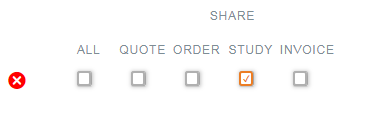
Project related information, including quotes, orders, studies and related results/reports and invoices, can be shared among registered users. To share with another user, that user must be 1) a registered user and 2) must have the same email domain as the sharer (except for Study information, which can be shared with any registered user). Sharing grants read-only access to the recipient. The recipient can view an item, or clone it (in the case of quotes and orders) and if a study is shared, the recipient can also view the reports and the results for that study.
Once shared, a recipient(s) can find the shared item(s) by going to the related "My" page and select the "Shared with me" tab.
|
|


© Copyright 2026, Pharmacology Discovery Services – Privacy Policy | Cookie Notice | Cookie Preferences