| I Need To... | Basic Overview |
|
View my study's status |
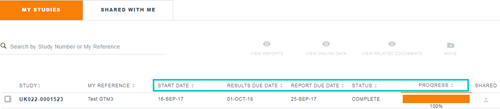
Study related information can be viewed by selecting "My Studies & Reports" from the User Menu. Here you can find basic information regarding your study, including important status updates. • The status of your project is found under "Status" field. • The "Start Date", "Results Due Date" and "Report Due Date" are shown for each study that is active or completed. Please note, if the study has not yet started, no dates will be shown in these fields and they will be updated when the study starts. For studies in which assays are being performed at multiple testing locations, the dates are for when the entire study is expected to be completed. • The "Progress" field will indicate whether results are available for the study. Depending on the type of study, partial or full data results may be available online (see "View study online data results" section for more information).
|
|
View reports or study related documents |
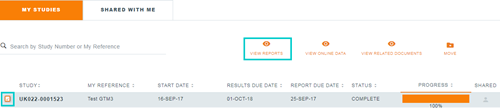
When your study is complete, you can access reports and/or other related study files by following these steps: 1. Log in 2. Select "My Studies & Reports" from the User Menu. 3. In the "Studies" page, select a study 4. Click on the "View Reports" icon
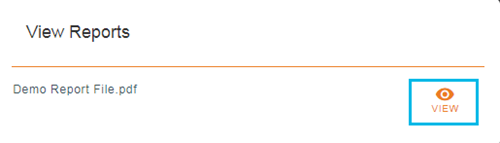
5. The pop up will list available reports and/or other related study files. Click on a file name to download a study document. (Note: If there is more than one file, the "Download All" can be used to download all the files into a Zip folder.)
|